

01
Compose your presentation surface
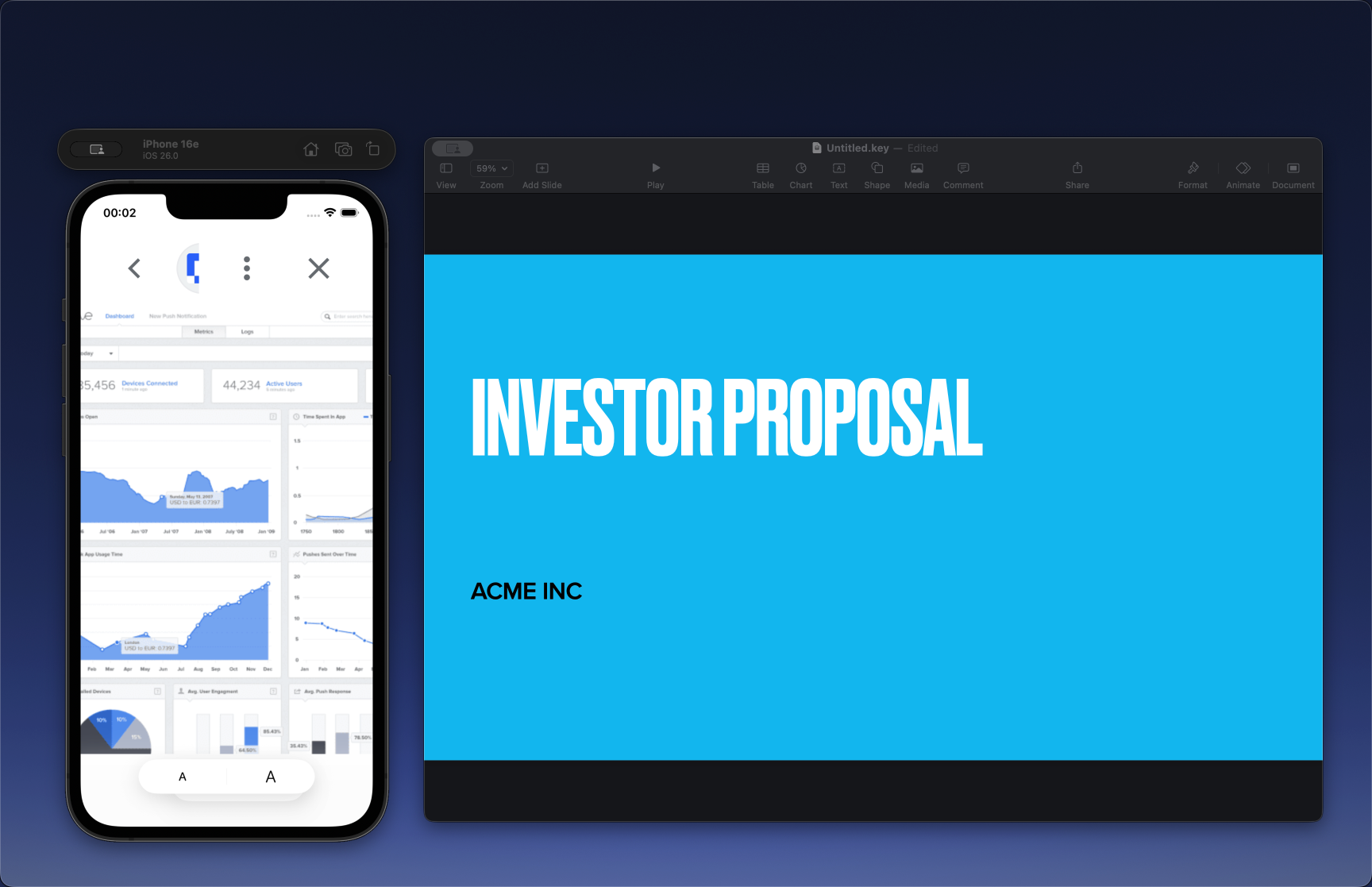
Add any combination of apps and windows — your demo, slides, browser, or terminal. Reflect composites them into one Mirror Window.
Presentation enhancement for macOS
Combine multiple windows, highlight what matters, and keep your audience focused — without sharing your whole desktop. Works alongside Zoom, Meet, and Teams.
See it in action
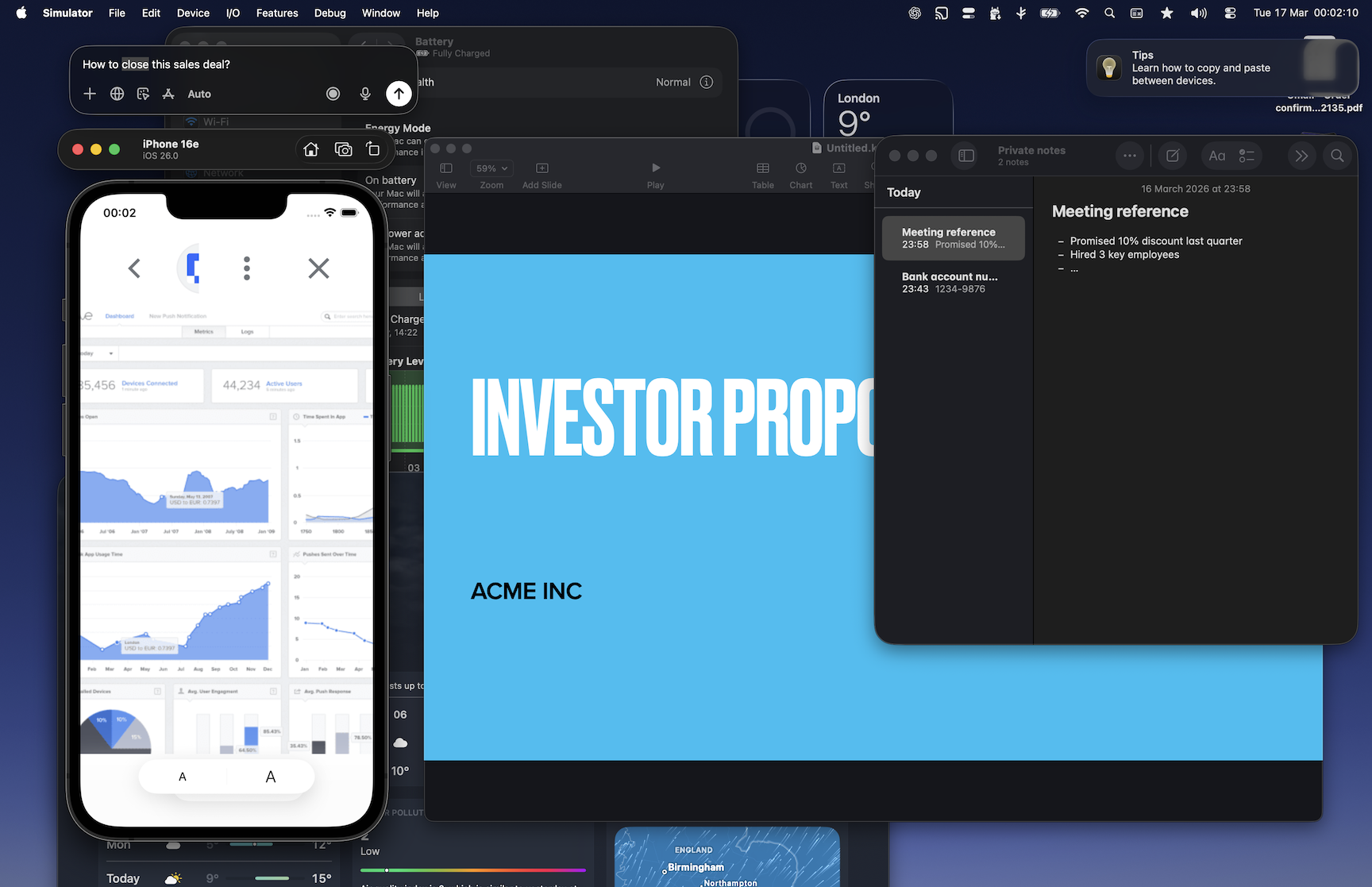
Drag the slider. On the left: a cluttered full-screen share. On the right: the Mirror Window your audience actually sees.
How it works
Meeting apps force a bad choice: one window or your whole screen. Reflect gives you a third option.
Choose what belongs in the meeting, share one Mirror Window, and keep working the way you normally do.
01
Add any combination of apps and windows — your demo, slides, browser, or terminal. Reflect composites them into one Mirror Window.
02
In Zoom, Meet, or Teams, pick the Mirror Window as your share source. That surface — and only that — goes to the room.
03
Annotate, zoom into any area, crop on the fly, or flip to whiteboard — all without breaking the meeting flow.
Use cases
Different roles present differently. The need for a cleaner presentation surface stays the same.
Show slides, product, and customer context together without awkward switching.
Pitch with a cleaner, more controlled setup when every detail matters.
Walk through flows, specs, prototypes, and notes in a single presentation view.
Guide attention with zoom, annotations, and whiteboarding as you explain.
Present code, terminal, docs, and live apps without exposing the rest of your machine.
Stay polished and in control, even when your actual desktop is... spiritually unwell.
Features
Stop letting your meeting app dictate what your audience sees. Reflect gives you a dedicated presentation surface you fully control.
Combine any apps or windows into one clean Mirror Window. Show your demo alongside slides, your browser next to a prototype, or any combination you need — without falling back to full-screen sharing and exposing everything else on your desktop.
Sometimes a full-display share is the simplest option. Reflect keeps it that way while letting you exclude specific apps. Slack messages, email previews, and personal notes stay invisible to your audience — even when you're sharing the whole screen.
Circle the element that matters, draw arrows to key UI, or long-press to magnify any area. Annotation and zoom work directly inside the Mirror Window you're sharing — no extra tool, no screen switch, no lost attention.
Frame exactly the area your audience needs — eliminate surrounding windows and UI noise in one gesture. When a rough sketch would land faster than another slide, flip to whiteboard mode and draw directly in the Mirror Window.
Why Reflect
| With Reflect | Standard screen sharing |
|---|---|
| Present your demo and slides together in one Mirror Window | Pick one window — or expose your entire screen |
| Exclude Slack, Mail, and personal apps from any display share | Full-screen sharing puts everything in front of your audience |
| Crop to exactly the region the meeting needs | Rearrange and resize windows hoping it looks clean enough |
| Annotate, zoom, and whiteboard inside the same shared surface | Switch tools mid-call, lose momentum, hope the room follows |
| One consistent Mirror Window across Zoom, Meet, and Teams | Different sharing constraints in every meeting app |
| All rendering happens locally — nothing sent to Reflect servers | Content routes through the meeting platform's infrastructure |
Pricing
Start with a clean Mirror Window, then unlock multi-window presenting, display exclusions, and live guidance tools when you need them.
FREE
Free
For everyday presentations that need less juggling.
PREMIUM
£19.99 per year
For people who present every week.
FAQ
No. Reflect works alongside your meeting app by giving you a clean Mirror Window to share.
Yes. Reflect Pro lets you combine multiple apps or windows into one Mirror Window so you do not have to fall back to full-screen sharing.
Yes. Reflect Pro supports display sharing with app exclusions, so selected apps can stay out of the audience view.
Yes. Reflect Pro adds region crop, live annotation, and zoom so you can show the right detail without reshuffling your desktop.
No. Your audience joins the meeting as usual. Reflect only changes the surface you choose to share from your Mac.
No. Rendering and composition happen locally on your Mac.
Most people are ready in a few minutes. Launch Reflect, choose what to show, then share the Mirror Window in your meeting app.
Ready for your next meeting?
Download Reflect for Mac and create cleaner, more focused presentations in any meeting app.